

Key Takeaways
Our Verdict
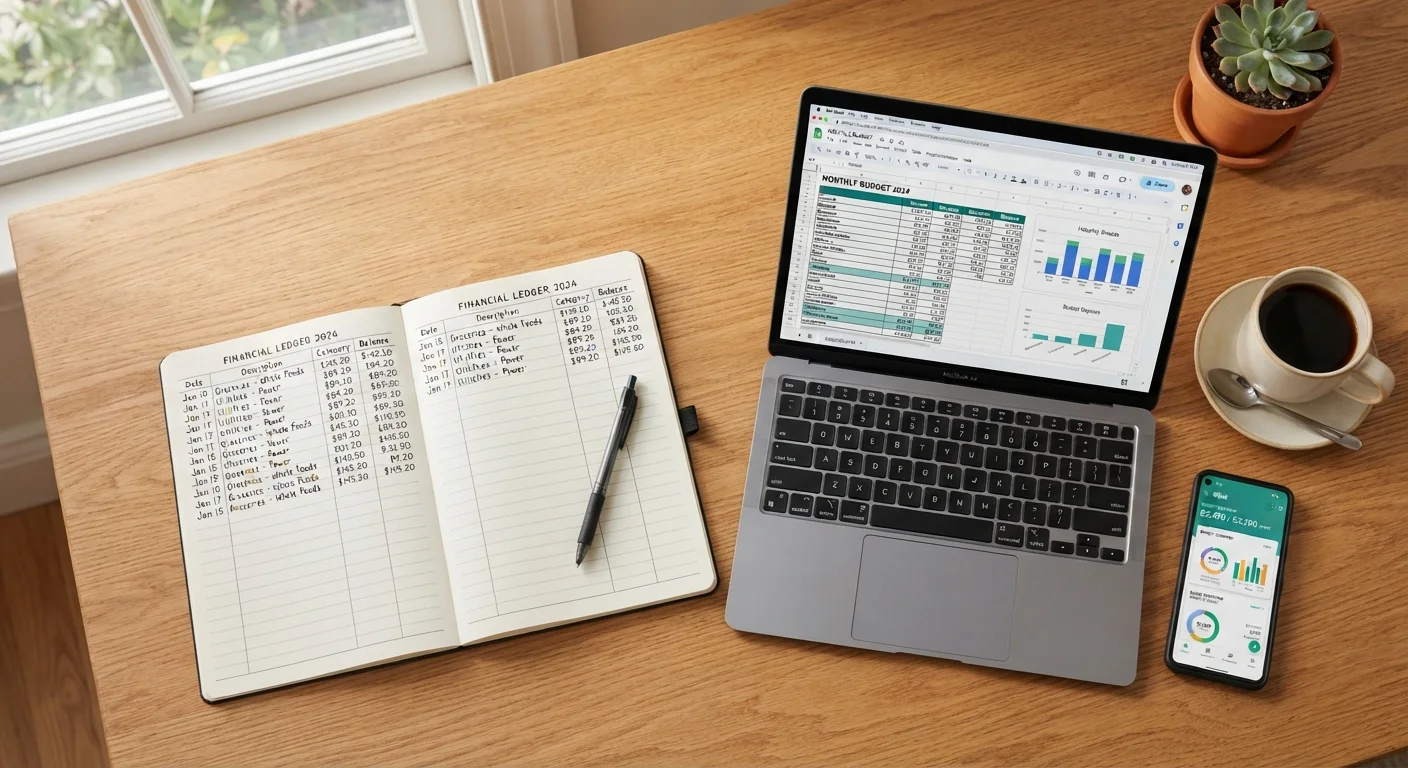
Manual ledgers, spreadsheets, and apps each solve the same problem — spending awareness — through very different means. The ledger wins on privacy and zero cost; the spreadsheet wins on customization and analysis; the app wins on automation and real-time visibility. None guarantees a balanced budget on its own; regular review and honest record-keeping are the real drivers of progress.
| Best for | Recommended |
|---|---|
| Those who want full privacy and zero tech dependency | Manual ledger |
| Analytical types who want custom reports and full control | Spreadsheet |
| Busy households who prioritize automation and real-time alerts | Budgeting app |
| Anyone just starting out who wants a low-stakes first step | Manual ledger or free spreadsheet template |
Why Your Tracking Method Actually Matters
Plenty of people set up a budget in January and abandon it by February — not because budgeting doesn't work, but because the tracking method didn't fit their life. A system that feels like a chore gets skipped; one that fits naturally into your routine gets used. That distinction has a real effect on your finances.
The three most common approaches are writing expenses in a paper ledger, using a spreadsheet, or running a dedicated budgeting app. Each has genuine strengths and genuine drawbacks. Before you pick one, it helps to see them side by side. If you haven't yet gathered your income and expense figures, the Monthly Budget Setup Checklist is a good starting point.
| Manual Ledger | Spreadsheet | Budgeting App | |
|---|---|---|---|
| Cost | Near zero (notebook + pen) | Free to low cost | Free tier or paid subscription |
| Data entry effort | High — fully manual | Medium — manual or paste | Low — mostly automated |
| Customization | Fully open, unstructured | High — build your own layout | Limited to app features |
| Privacy | Maximum — no accounts needed | High — stored locally or in cloud | Lower — bank credentials shared |
| Real-time alerts | None | None (unless scripted) | Yes — built in |
| Learning curve | Minimal | Moderate | Low to moderate |
| Risk of data loss | High if notebook lost | Medium — depends on backup | Low — cloud-synced |
Manual Ledgers: Simple, Private, and Demanding
A paper ledger is the oldest budgeting tool there is — a notebook where you write every transaction by hand. It costs almost nothing, works during a power outage, and requires zero accounts or logins.
The real benefit of writing things down is that it slows you down. Research on handwriting versus typing consistently shows that manual recording improves retention, and many people find that writing a purchase immediately after making it creates a healthy moment of reflection. There's no autocomplete to rescue a forgotten lunch or a rounding error.
The drawbacks are equally real. Totaling columns by hand is tedious, cross-referencing months is difficult, and if you lose the notebook, the data is gone. For anyone who makes dozens of transactions a week across multiple accounts, keeping up is genuinely hard work.
Make the Habit Stick With a Fixed Time
Whether you use a ledger, spreadsheet, or app, setting a specific time each day or week to update your records dramatically improves consistency. Even five minutes after dinner can be enough to keep a ledger current. Irregular, sporadic entry is the most common reason any tracking system breaks down.
Best suited for: People who pay mostly in cash, those with privacy concerns about linking financial accounts to software, and anyone who finds screen-based tools distracting.
Spreadsheets: Flexible But Not Instant
A spreadsheet — whether in a free tool or a paid one — sits between a paper ledger and a full app. You still enter transactions manually (or paste them from a bank export), but formulas handle all the math. You can build custom categories, color-coded alerts, and month-over-month trend charts without any subscription fee.
The flexibility is the point. A spreadsheet can mirror any budgeting philosophy — zero-based, percentage-based, envelope-style — because you design the structure. The envelope budgeting method, for example, maps cleanly onto a spreadsheet with category columns acting as digital envelopes.
The downside: there's a setup cost in time, and a formula error can quietly skew your numbers for weeks. Spreadsheets also don't send alerts when you overspend a category — you have to check. For the analytically inclined, that's fine. For someone who needs a nudge, it can mean categories quietly blow past their limits.
Best suited for: People comfortable with basic formulas, those who want to own their data entirely, and households with varied or irregular income that needs custom handling.
Budgeting Apps: Convenient With Trade-Offs
Dedicated budgeting apps connect directly to your bank and credit card accounts, pulling in transactions automatically and categorizing most of them without you lifting a finger. For a busy household tracking spending across multiple accounts, this automation is a genuine time-saver.
Most apps also offer real-time alerts, spending summaries, and goal-tracking features that would take significant effort to replicate in a spreadsheet. Some are free with limited features; others charge a monthly or annual subscription.
Read the Privacy Policy Before Connecting Accounts
Budgeting apps that link to your financial accounts require you to share login credentials or connect via a data aggregator. Before signing up, check whether the app sells or shares your transaction data, and verify what happens to your information if you cancel. Not all services handle this data the same way.
The trade-offs matter. Linking your bank credentials to a third-party app introduces a privacy and security surface area that a notebook simply doesn't have. Read the app's data-sharing policy before connecting accounts — some services share anonymized spending data with partners. There's also the subscription cost to weigh: even a modest annual fee adds up if the tool goes unused after the first month.
For those managing travel expenses alongside everyday spending, the same principles apply — the Stretching a Travel Budget guide covers how to apply category-based tracking to trip costs specifically.
Best suited for: Households juggling multiple accounts, people who need real-time feedback to stay on track, and those willing to pay for significant time savings.
Choosing and Sticking With a Method
The tracking method you actually use beats the perfect method you abandon. Start with whatever feels least like friction. If that's a $2 notebook, use the notebook. If it's a free spreadsheet template, start there. You can always migrate your data to a more sophisticated tool once the habit is established.
What matters more than the tool is the review habit — sitting down weekly or monthly to look at your numbers honestly. The Habits That Keep a Budget Working Month After Month article covers the routine practices that make any tracking system actually pay off.
For a broader grounding in household cash flow — including how to handle irregular income and one-time expenses — Personal Budgeting: The Complete Picture offers a thorough, jargon-free overview.
This article is for general informational purposes only and does not constitute personalized financial advice. Consider consulting a qualified financial professional for guidance specific to your situation.